
Start Training in Minutes
Follow this quick guide to identify your kit components, choose an anchor setup, learn resistance control, and begin your first T2 workout.
1. Get to Know Your T2 Kit
Review the kit image below so you understand the strap, handles, anchors, hub, and bungee.
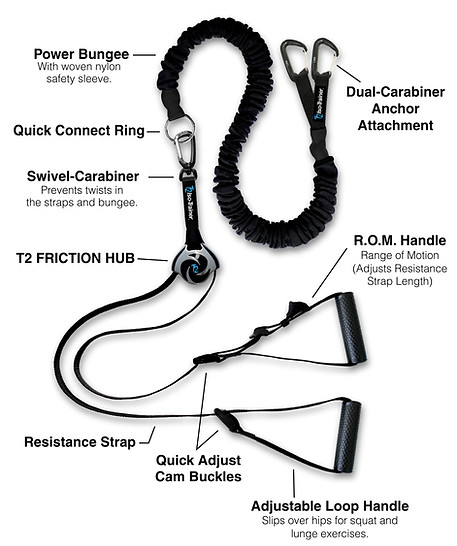


MAXIMUM WEIGHT CAPACITY 350 LBS. (159KG)
2. Choose Your Anchor Setup
Included anchors allow anchoring to a post, door, rail, rack, tree, partner, or your own body.

Post, Rail or Tree
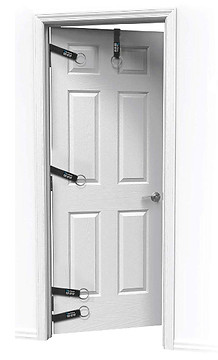
Door Frame
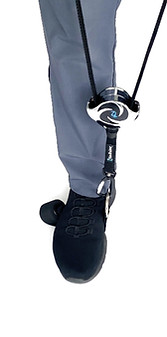
Self-Anchored

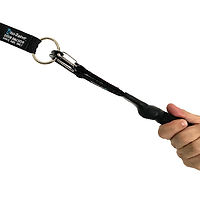
Connect the T2 to the Anchor
3. Your First T2 Training Path
Start with the basic movements shown in this Fast Intro video.
For the easiest learning curve, practice the core Resistance Fusion™ modes in this order:
-
Elastic Resistanceⓘ: Learn basic pulling and pushing movements.
-
ISO-ELASTIC® Resistanceⓘ: Combine elastic tension with friction-based control.
-
BODYFIGHT® Isokineticsⓘ: Use one side of your body to resist the other.
-
Wave Trainingⓘ: Add rhythm, speed, and coordination.
-
Suspensionⓘ + BODYFIGHT®: Progress into more advanced full-body training.
Recommended first session: 10–15 minutes. Keep resistance light until you understand the movement.
Fast Intro Video
Before Your First Workout
-
Make sure your anchor point is secure.
-
Start with light resistance.
-
Move slowly until you understand the system.
-
Keep the strap flat and untwisted.
-
Stop if anything feels unstable or painful.
How to Change Intensity Instantly
In this bicep curl video, with BODYFIGHT® resistance, your opposite arm controls the difficulty.
To make it harder: Resist more with the opposing arm. This creates more friction through the T2 FRICTION HUB, slows the movement, and increases intensity.
To make it easier: Resist less with the opposing arm. This reduces friction, allows faster movement, and makes the exercise lighter.
Simple rule:
Slower = harder.
Faster = easier.

SELF-ANCHORED BODYFIGHT® ISOKINETIC BICEP CURL. OBSERVE INSTANT ON-THE-FLY INTENSITY CHANGES.


Equipment Setup Videos
Watch these short setup videos before your first workout. Start with T2 Quick Setup, then review the door-anchor and foot-anchor options as needed.
T2 Quick Setup

T2 Quick Setup

T2 Door Anchor + Bungee Setup
